
Composer context — files, skills, and tokens
v0.1.0-beta.2 turns the composer into a full context workspace. You can now attach files by typing @, invoke skills by typing /, and watch your token budget in real time — all without leaving the message input.
New
- Attach files with
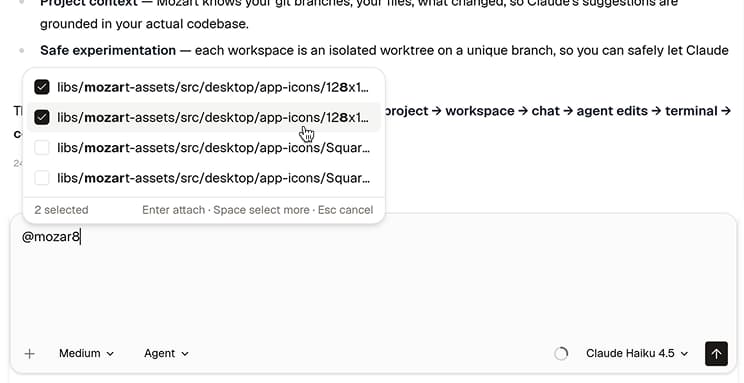
@. Type@anywhere in the composer to open a file picker. It ranks open tabs first, then changed files, then the rest of your project by recent activity. Tick as many files as you need — they attach as pills in the composer and are sent as context with your message. Both@and/use fuzzy search, so you can find any file or skill without typing an exact prefix.
- Discover and run skills from
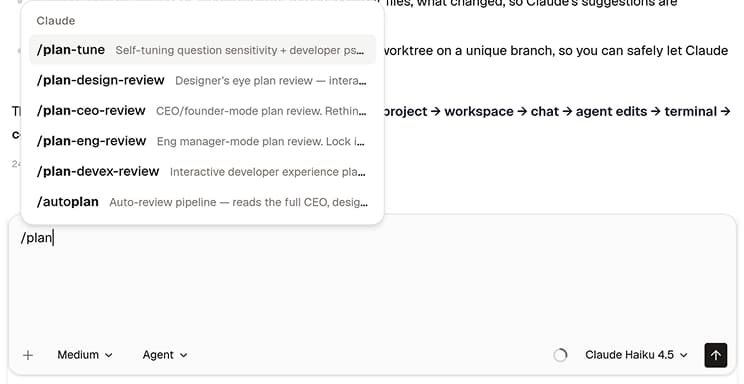
/. Type/to open a grouped skill menu backed by your filesystem. Mozart scans your provider directories (~/.claude/skills,~/.codex/skills) and your repo's.mozart/skillsfolder, so the list reflects the skills you actually have installed. Codex skills appear only when Codex is connected.
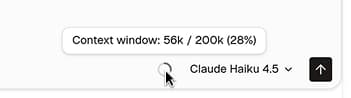
- See your token budget at a glance. A compact ring gauge in the composer footer shows how much context has been consumed. It stays neutral until you're in the amber zone, then turns red as you approach the limit. Each message turn also shows elapsed time and the exact input + output token count billed for that turn.
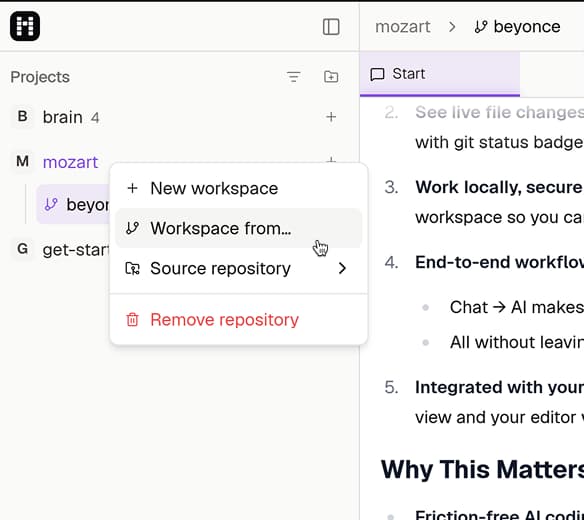
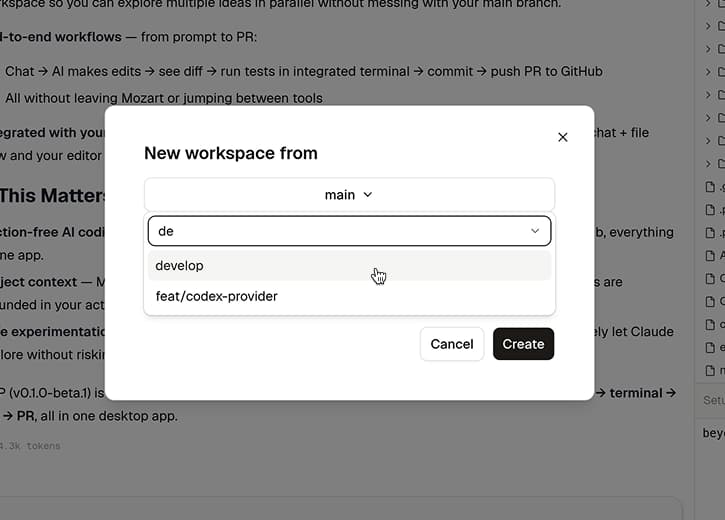
- Fork a workspace from any branch. Right-click a project and choose Workspace from… to pick the branch to fork from, instead of always starting from
main. You can also set agit.baseBranchin your project's.mozart/settings.jsonso every new workspace starts from the right branch by default.
Improved
- Onboarding detects your existing sessions more reliably. Mozart now checks the macOS Keychain for a Claude Code session, so you're connected automatically if you've already logged in through the Claude Code CLI. The provider connect flow also shows a visible "checking…" state instead of going silent, and surfaces any login errors with a Recheck button so you can retry without restarting.
Fixed
Codex works when installed via nvm. Mozart now resolves the nvm-managed Node.js path automatically, so the Codex CLI is detected even when your shell's default
PATHdoesn't include the nvm shim directory.@file selection survives alt-tab. The file picker no longer closes when you switch to another app mid-selection. Your checked files stay selected until you come back and press Enter or Esc.